VISUAL COMMUNICATION | DESIGN | EDUCATION
COURSES & LESSONS
Creative Bubble is run by a very passionate designer with a love for sharing knowledge. With many years of successful design projects completed, as well as lecturing experience at colleges and at a corporate level; you are in the right place to learn, be inspired and achieve your creative goals.
A variety of courses and lessons are available. If you are unsure of what course best suits your needs then send a mail or message and you’ll be guided on what suits you best.
USE ADOBE TO DESIGN, ILLUSTRATE OR EDIT IMAGES
:Adobe Creative Cloud apps are the industry-standard in design software, with a variety of courses available, presented by an Adobe Certified Expert, you’ll gain the ability to put your ideas into something that everyone can see… below is a description of Photoshop, Illustrator and InDesign. Each has it’s own unique strengths

ADOBE PHOTOSHOP
Adobe Photoshop is the industry-standard photo-editing
and image manipulation programme.
Photoshop’s capabilities can be separated into 3 main categories:
Image manipulation
Photo touch-ups and colour enhancements are common edits done by photographers and designers to improve image quality. The removal of backgrounds from objects so that they can be used within catalogues or as part of a design is common.
Digital painting
Also called digital art, means creating paintings and artwork on a computer using software. Through the use of tools such as the Brush tool with various brush effects and filters, Photoshop allows artists to paint digitally.
Design
Many graphic designers choose to create their entire designs such as posters, banner and single page projects in Photoshop instead of other software applications such as Illustrator or InDesign. It has the ability to merge and integrate multiple images and image effects into one composition, which is a limiting factor in the other programmes. When a design requires the complex use of pixel-based images then Photoshop may be the best options.
Use Photoshop for:
• Image manipulation and touch-ups
• Compositing of multiple graphics
• Removal of background from images
• Image intensive designs and effects
• Editing or manipulation of images for use in projects designed in Illustrator or InDesign.
Limitations of Photoshop
• Raster-based design, not meant for scalable graphics (vectors)
• Limited drawing tools
• Not suitable for multiple page layouts
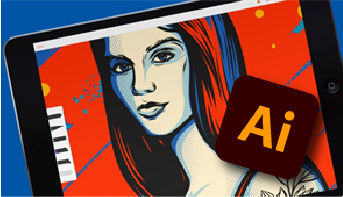
Adobe Illustrator
A simple but powerful vector-based programme. Vector graphics are used to create designs that are scalable, which means that they can be resized to any size without loss of quality. A logo designed in Illustrator can be applied to small items such as business cards but also applied to a billboard stretching across a building (something that Photoshop is not so good at!)
Graphic designers use Adobe Illustrator for logo design and corporate branding as well as layout projects such as flyers, brochures and signage.
Illustrators use it for its extensive drawing tools. Beautiful illustrations, cartoons and drawing can be created with stylised effects and beautiful colours.
2D animators and motion graphics designers often use illustrator as their starting point for character and scene design. They then export these vector elements into Adobe After Effects or Adobe Animate to create the animations.
Adobe Illustrator is used in all types of graphic design and often forms the foundation of design projects and marketing campaigns.
Use Illustrator for:
• Logo design and brand development
• Illustrations
• Typography orientated design
• Packaging design and layout
• Icon design
• Infographics
• Flyers, brochures
• Posters, banners and signage layouts
Limitations of Illustrator
• No pixel-based image editing capabilities
• Difficult to work on many pages, limited structure for multiple page documents.
• Can only produce designs up to about 5 metres, anything bigger use InDesign
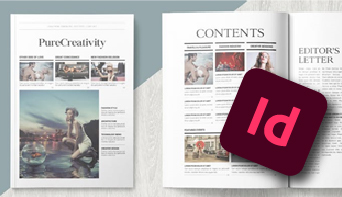
ADOBE INDESIGN
Adobe InDesign has been the industry-standard for editorial and layout design for many years. Its ability to create multiple page documents with consistency cannot be compared.
Most magazines, books and even highly technical instruction manuals you see today were probably constructed in InDesign.
It has limited drawing tools and does not have image editing capabilities but it does have extensive editorial and layout tools.
An aspect of InDesign that is impressive is that it has powerful capabilities for creating digital magazines and interactive PDF documents. Videos and links can be inserted into the content as well as buttons to perform various actions.
InDesign is best used in combination with Adobe Illustrator and Photoshop. They form a core part of Adobe’s Creative Cloud and work seamlessly together.
Use InDesign for:
• Magazine design and layout
• Newsletters
• Brochures and catalogues
• Manuals and text books
• Books and Novels
• Any type of layout of text and graphics
Limitations of InDesign
• No image-editing capabilities
• Limited drawing tools
• Cannot place vector graphics such as PDF and EPS files and edit them, you’ll need Illustrator
USE CORELDRAW TO DESIGN & ILLUSTRATE
CorelDraw is the alternative to Adobe Illustrator as well as InDesign (to a large extent). It has a variety of drawing tools, text editing and type setting functions. It also has the ability to create sophisticated layouts for multiple page document .
Use CorelDRAW for:
• Logo design and illustration
• Magazine design and layout
• Brochures, catalogues & newsletters
• Any type of layout of text and graphics
OTHER COURSES
DESIGN
- An introduction to Graphic design – the principles and elements of design, typography, colour psychology, designing for print & digital
- Creating effective presentations using Powerpoint
WEB DESIGN
- Creating a website with WordPress & Divi Builder
- Intro to HTML5 & CSS3
- Adobe Dreamweaver
ANIMATION
- Creating Animated GIFS
- Animating using Adobe Animate (previously Flash)
All courses can take place onsite (at your offices anywhere within South Africa), or at a venue in Sandton.
Alternatively, virtual training is also available.
MEET THE FACILITATOR
Creative Bubble is run by Karyn Pitcher, a designer, visual communication specialist and design and software lecturer. She graduated in 2003 with a diploma in Graphic Design, Fine Art and Photography and started freelancing as a designer soon after that. In 2013 she obtained her Packaging Technology diploma (with distinction) and in 2014 received a study sponsorship from the Institute of Packaging South Africa to study for an Advanced Diploma in Packaging. She has also achieved status as a Certified Adobe Expert in Illustrator, Photoshop and InDesign.
With the design experience and packaging qualifications, she was able to specialise in the niche market of packaging design where she worked on packaging and other design projects for large retailers such as Dis-Chem, Clicks and Jet, as well as assisting smaller start-up brands with their product branding and marketing materials.
As a design educator since graduating, she started assisting with lectures in 2004 at the college where she studied and then went on to start-up the design department of a small photography school, and was a part-time design lecturer there until 2012. In 2013 she started with corporate training and has continued to so. She has trained at FNB, Herbalife, UCT & Harley Davidson, as well as running workshops for employees from various governmental departments, top financial institutions and private individuals.